News
How to Avoid Budget Creep During Selections
Learn about avoid budget creep with tips on upgrade strategy, priorities lists, and allowances.
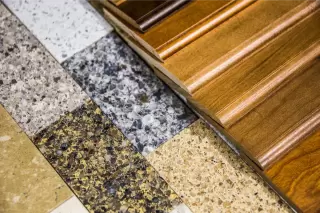
Selections are where your home starts to feel real—and where budgets can quietly drift. On the Gulf Coast, choices can also be influenced by humidity, storms, and durability (think: flooring performance, exterior materials, moisture resistance). The goal isn’t “no upgrades,” it’s upgrading on purpose—so you stay confident, not surprised, when final numbers come in.
Why budget creep happens during selections
Budget creep usually isn’t one big splurge—it’s lots of “small” adds:
- “It’s only a little more…” repeated across 20+ decisions
- Unclear allowances (or forgetting what’s included)
- Upgrades that trigger other upgrades (like changing one finish that affects another)
- Decision fatigue leading to last-minute choices that cost more
The Gulf Coast factor
In LA/MS/FL/AL, you may prioritize moisture resistance, easier cleaning after sandy/rainy seasons, and materials that hold up well in high humidity. That can nudge selection choices—so it’s even more important to plan your upgrade strategy early.
Build a priorities list before you pick finishes
Your best defense is a written, ranked “priorities list” that guides every decision.
A simple priorities framework
Choose:
- Top 5 Must-Haves: items you’ll pay for even if it means cutting elsewhere
- Nice-to-Haves: upgrades you’ll consider only if the budget allows
- Not Worth It (for you): upgrades you’re choosing to skip
Example Must-Haves (common):
- Durable flooring in main living areas
- Better insulation or HVAC efficiency
- Quartz counters (or a preferred surface)
- Extra storage / cabinetry
- Covered outdoor space
Upgrade strategy: Spend now where change is hard later (and save on the easy stuff)
Here’s the upgrade strategy most homeowners wish they had followed:
Upgrade “now” items (hard/expensive to change later)
- Layout changes (walls, room sizes, door locations)
- Electrical plan (outlets, lighting locations, dedicated circuits)
- Plumbing locations (shower layouts, tub moves, pot fillers)
- Cabinets and built-ins
- Tile work in showers (labor-heavy later)
- Structural and performance features (insulation, windows options, drainage-related site planning when applicable)
Upgrade “later” items (easy swaps after move-in)
- Decorative lighting fixtures
- Cabinet hardware
- Faucets (if you chose standard rough-ins)
- Mirrors and accessories
- Some landscaping enhancements
Gulf Coast-aware note: If you’re deciding between “pretty” and “performance,” performance often wins in humid climates—especially in flooring, ventilation, and moisture-prone areas.
Know your allowances (and treat them like real money)
Allowances aren’t “free upgrades.” They’re placeholders in your budget for items you’ll select.
What allowances usually cover (examples)
Flooring, tile, countertops
Cabinets/hardware (varies by plan)
Plumbing fixtures (varies)
Lighting allowances (varies)
Every time you select something above allowance, that difference adds to the final.
Mini table: How to think about upgrades vs allowances
| Category | Common Budget Risk | Simple Control |
|---|---|---|
| Flooring | Small per-sq-ft increases add up fast | Set a max $/sq-ft range before shopping |
| Tile/Showers | “Feature wall” + niche + upgrades stack | Choose 1 “wow” area; keep the rest standard |
| Fixtures/Lighting | Many items = many opportunities to overspend | Pick 2–3 statement fixtures only |
The “Selections Budget Tracker” rule (simple and powerful)
If you want to avoid budget creep, you need one source of truth.
Rule: After each selections meeting (or batch of decisions), update a tracker with:
- Allowance amount
- Selected cost
- Difference (+/-)
- Running total of overages
- Remaining contingency
You can do this in a spreadsheet, notes app, or even a printed sheet—just keep it updated.
Checklist: Stay-on-budget selections system
Use this checklist during your selections phase:
- Confirm what’s included vs what’s optional (ask for clarity early)
- Write your “Top 5 Must-Haves” and keep it visible during decisions
- Set a hard cap for upgrades (example: “We won’t exceed $X in overages”)
- Keep a contingency buffer (common: 5–10% of your selections/upgrade budget)
- Pre-pick 2–3 acceptable options per category to reduce decision fatigue
- Make “trade decisions” on purpose (upgrade here, stay standard there)
- Update your budget tracker after each selection session
- Pause 24 hours on any upgrade you didn’t plan for (if timeline allows)
Reduce decision fatigue (so you don’t buy upgrades just to be done)
Decision fatigue is real—especially when you’re choosing dozens of finishes quickly.
Practical tactics that work
- Limit options: ask to see only options in your price lane
- Batch decisions: choose all plumbing finishes at once; all lighting at once
- Create a “house rules” list:
- “One metal finish throughout” (or a limited mix)
- “One statement tile, everything else simple”
- “No more than X upgrade changes per room”
- Schedule selections when you’re fresh: don’t cram five major categories into one exhausted day
Common budget-creep traps (and what to do instead)
- Trap: Upgrading every room “a little”
- Instead: Upgrade the spaces you live in most (kitchen, primary bath, main living)
- Trap: Changing one finish and domino-ing the rest
- Instead: Choose a base palette first, then accent selectively
- Trap: Assuming the allowance covers your taste
- Instead: Identify your “non-negotiables” early so allowances can be planned around them
Key Takeaways
- To avoid budget creep, decide your priorities before you start picking finishes.
- Use an intentional upgrade strategy: spend now on what’s hard to change later.
- Treat allowances like a spending plan, not a bonus.
- Fight decision fatigue by limiting choices and batching decisions.
- Track selections in one place and update totals after every meeting.
FAQ: Avoid budget creep during selections
1) What does “budget creep” mean in home selections?
It’s when your total cost gradually increases due to many small upgrades and add-ons during the selections process.
2) How do allowances work?
Allowances are budgeted amounts for specific items (like flooring or fixtures). If you choose items above the allowance, the difference becomes an overage.
3) What’s the best way to set an upgrade budget?
Pick a firm “not-to-exceed” number for upgrades/overages, then keep a separate 5–10% buffer for surprises or must-have changes.
4) Which upgrades should I prioritize first?
Prioritize layout, electrical/plumbing locations, cabinets, and labor-heavy tile/shower decisions—because they’re costly to change later.
5) How can I reduce decision fatigue during selections?
Limit options to 2–3 per category, batch similar decisions, and avoid making major choices when you’re rushed or tired.
6) Are Gulf Coast builds more expensive because of climate needs?
Not automatically—but you may prioritize durability and moisture performance in materials. The best approach is planning those priorities early so they don’t become last-minute upgrades.
7) Can I change selections later if I change my mind?
Sometimes, but changes can affect pricing, scheduling, and availability. Always ask your builder how a change impacts cost and timeline.
8) Do local requirements affect selections?
Sometimes. For things like exterior materials, wind considerations, or site-related items, requirements vary by jurisdiction—your builder can guide what applies to your area.